Haptic beats
Feel downbeats and regular beats on Apple Watch. Practice quietly without giving up a clear pulse.
 WristBeat
HAPTIC METRONOME · iPHONE + APPLE WATCH
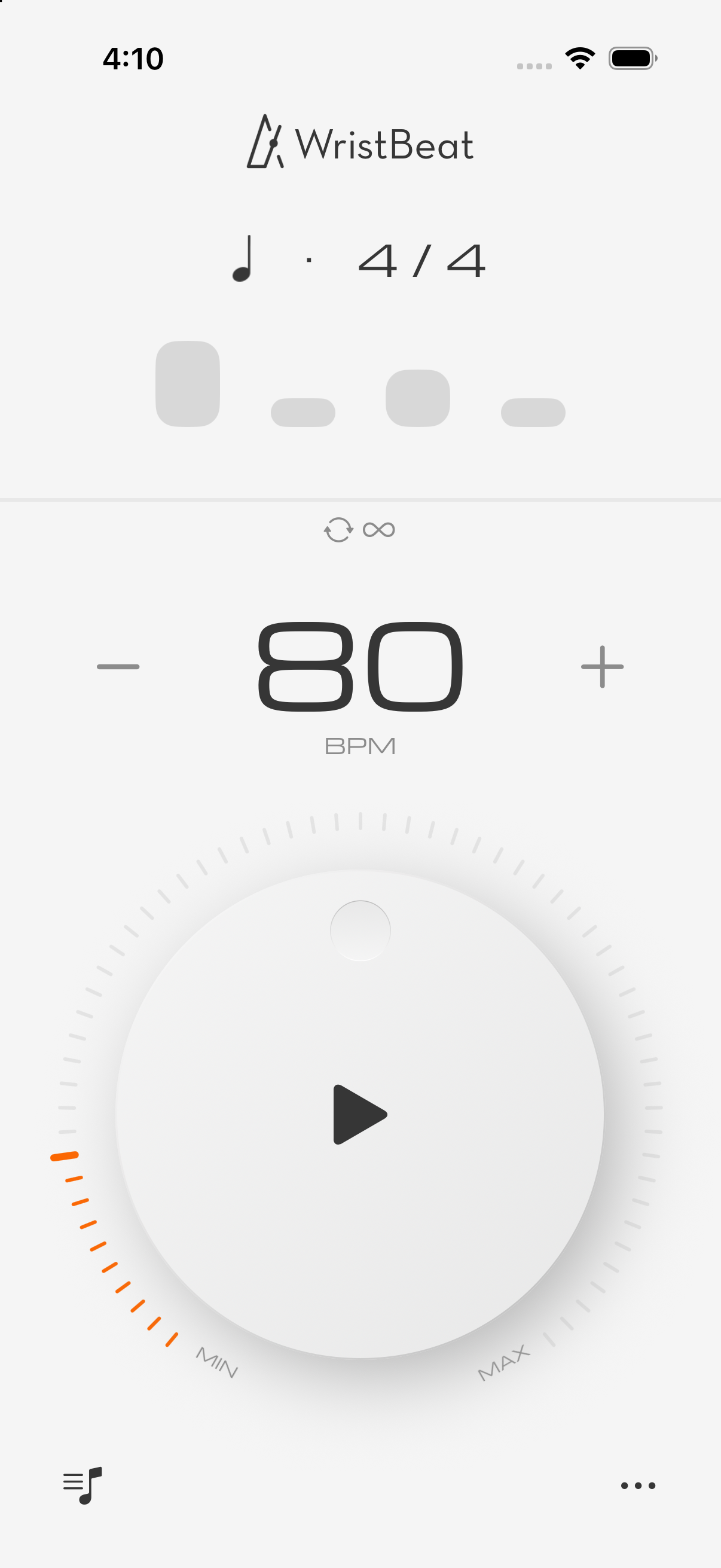
WristBeat brings focused timekeeping to your wrist. Combine sound, visuals, and haptics to stay locked in through practice, rehearsal, and performance prep.
BUILT FOR DELIBERATE PRACTICE
From the first slow run to the final rehearsal, WristBeat keeps the controls you need exactly where you expect them.
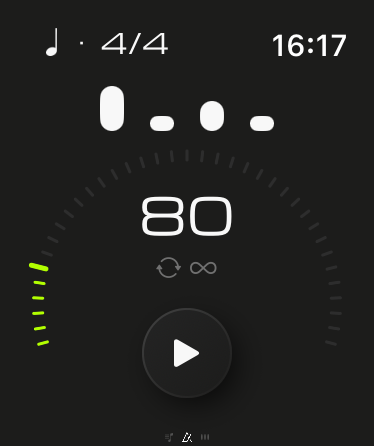
Feel downbeats and regular beats on Apple Watch. Practice quietly without giving up a clear pulse.
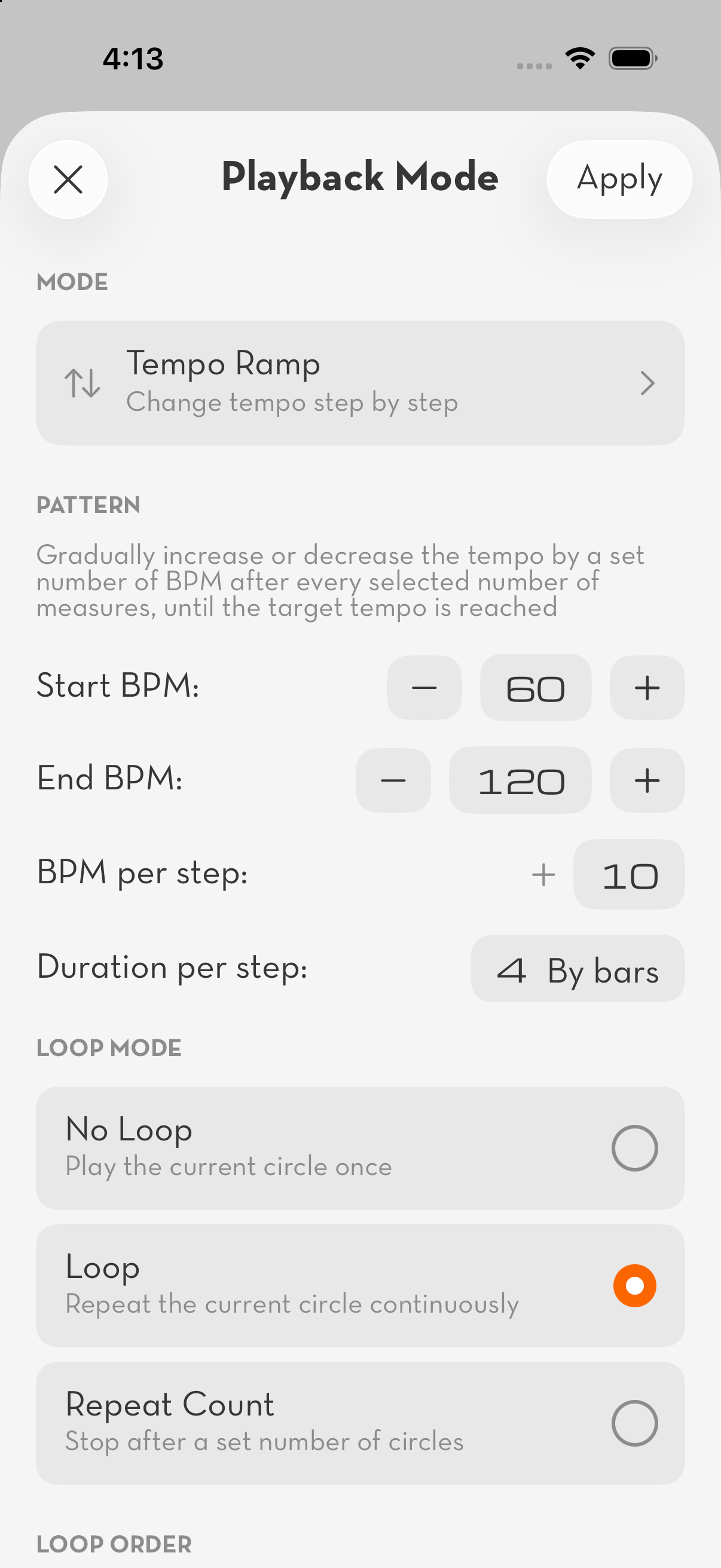
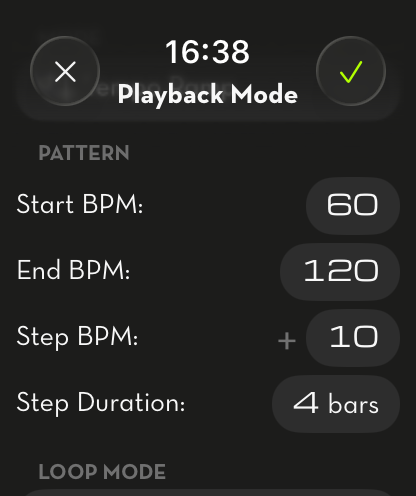
Set a starting tempo, target tempo, and progression so speed training flows without constant manual adjustments.
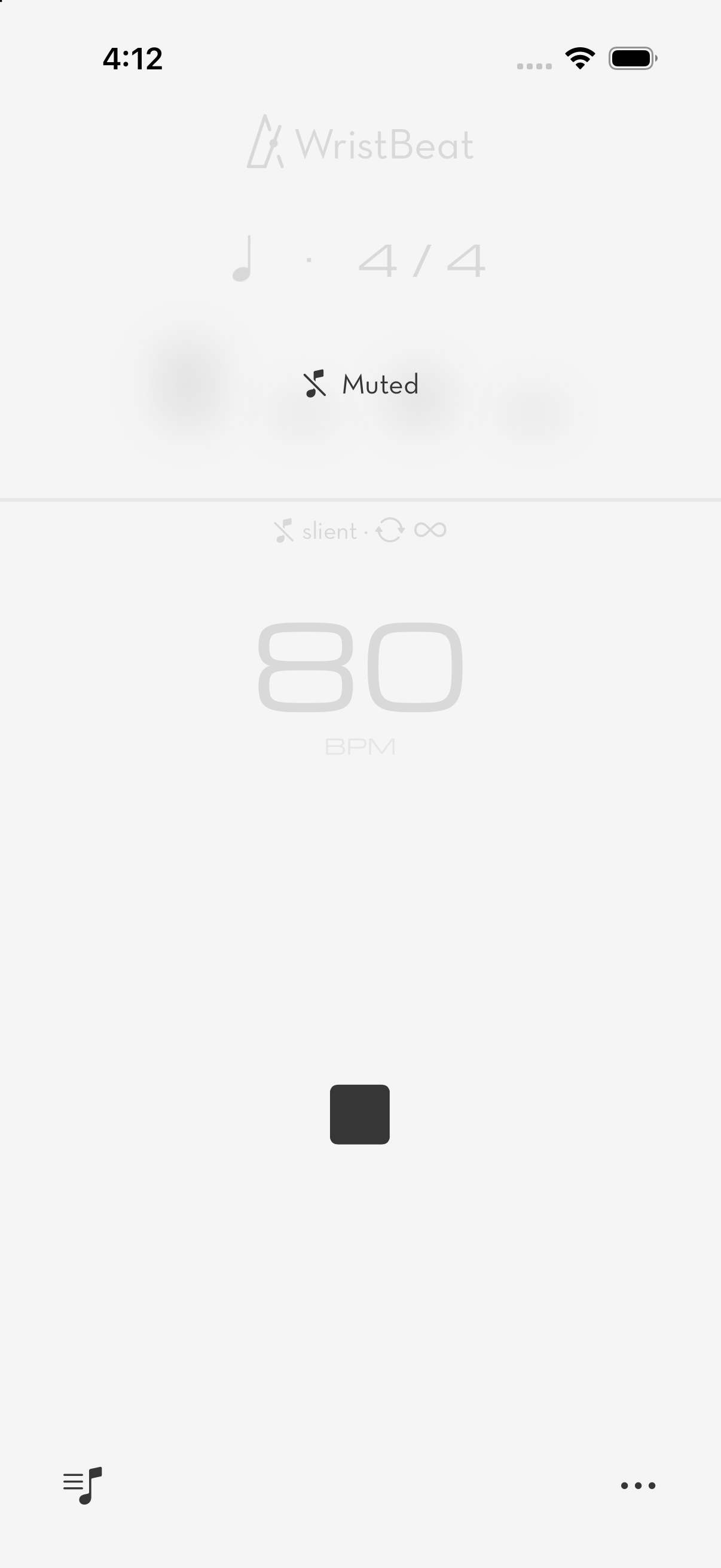
Let the click disappear for a few bars and test your internal pulse. When it returns, you will know whether you drifted.
Tap along to capture a song's tempo, then use that BPM to break it down, rehearse it, or save it to a set.
THREE WAYS TO KEEP TIME
Repeat a rhythm until it lives in your body.
Let the click drop out while your internal pulse takes over.
Build speed up or down in deliberate steps.
ON YOUR WRIST
Shape every detail on iPhone and start quickly from Apple Watch. Use them together or let each device serve the practice in front of you.
FAQ
Get to know WristBeat, from your first tap to your next practice session.
Have another question? Get in touch ↗Yes. WristBeat supports both iPhone and Apple Watch. You can use the metronome, edit rhythms, and set up practice modes on iPhone. Apple Watch adds haptic beats on your wrist, so you can feel the tempo as you play.
Yes. Enable haptic beats on Apple Watch and turn off the sound to follow the tempo through vibrations on your wrist. It is a way to keep time without a metronome click competing with your playing.
Enable Long Practice mode to support extended practice with your wrist lowered. It uses a system workout session through Apple HealthKit, but WristBeat does not read your health data or save your practice as a workout. Operation remains subject to watchOS, battery conditions, and other system activity. See our Privacy Policy for details.
Use Tap Tempo and tap along with the music. WristBeat calculates the tempo from the time between your taps. You can also adjust the BPM directly to find a comfortable practice speed.
Yes. Ramp mode changes the tempo gradually according to your settings. Use it for scales, technique exercises, or difficult passages without stopping to adjust the speed each time.
Gap Training pauses the beat cues for selected bars, then brings them back according to your settings. Keep playing through the gaps and check whether you are still in time when the beat returns. It helps you practice keeping a steady internal pulse.
Yes. Choose a time signature and rhythmic subdivisions, then adjust the accents or mute individual beats. You can shape the pattern to match the music you are practicing.
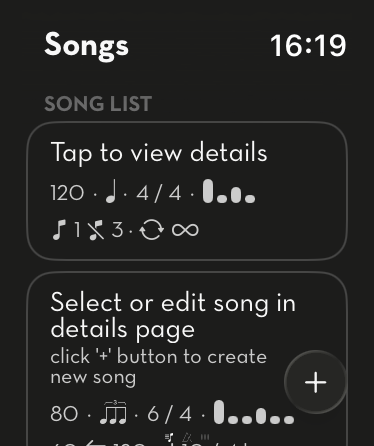
Yes. Create a song with multiple sections and give each section its own tempo, time signature, and rhythm. This makes it easier to practice pieces that change as you play.
Yes. Set a practice duration or a number of bars, and the metronome will stop when you reach that target. It is useful for planning timed exercises or focused work on a particular section.
No. WristBeat is free to download, with some features available through a one-time in-app purchase. There is no recurring subscription. Check the purchase screen for the included features and price. If you reinstall the app, you can restore your purchase using the same Apple Account.
YOUR TEMPO. YOUR WRIST.